Install Hair SOS on Your iPhone
Get instant access to hair experts from your home screen
Takes less than 30 seconds
1
Open Hair SOS in Safari
Visit hairsos.co.uk in Safari browser
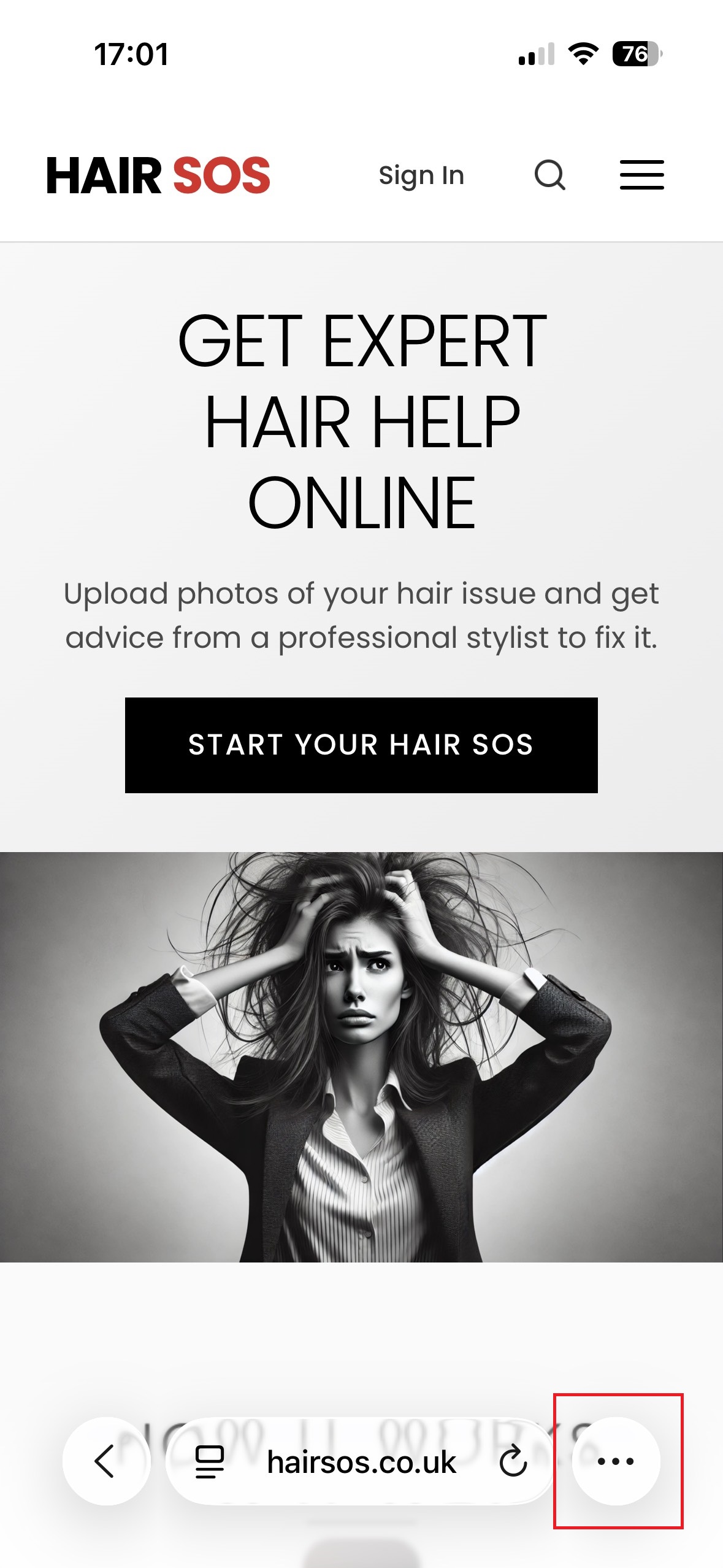
Tap the three dots (•••) at the bottom right corner
2
Tap the Share Button
Select the share option from the menu
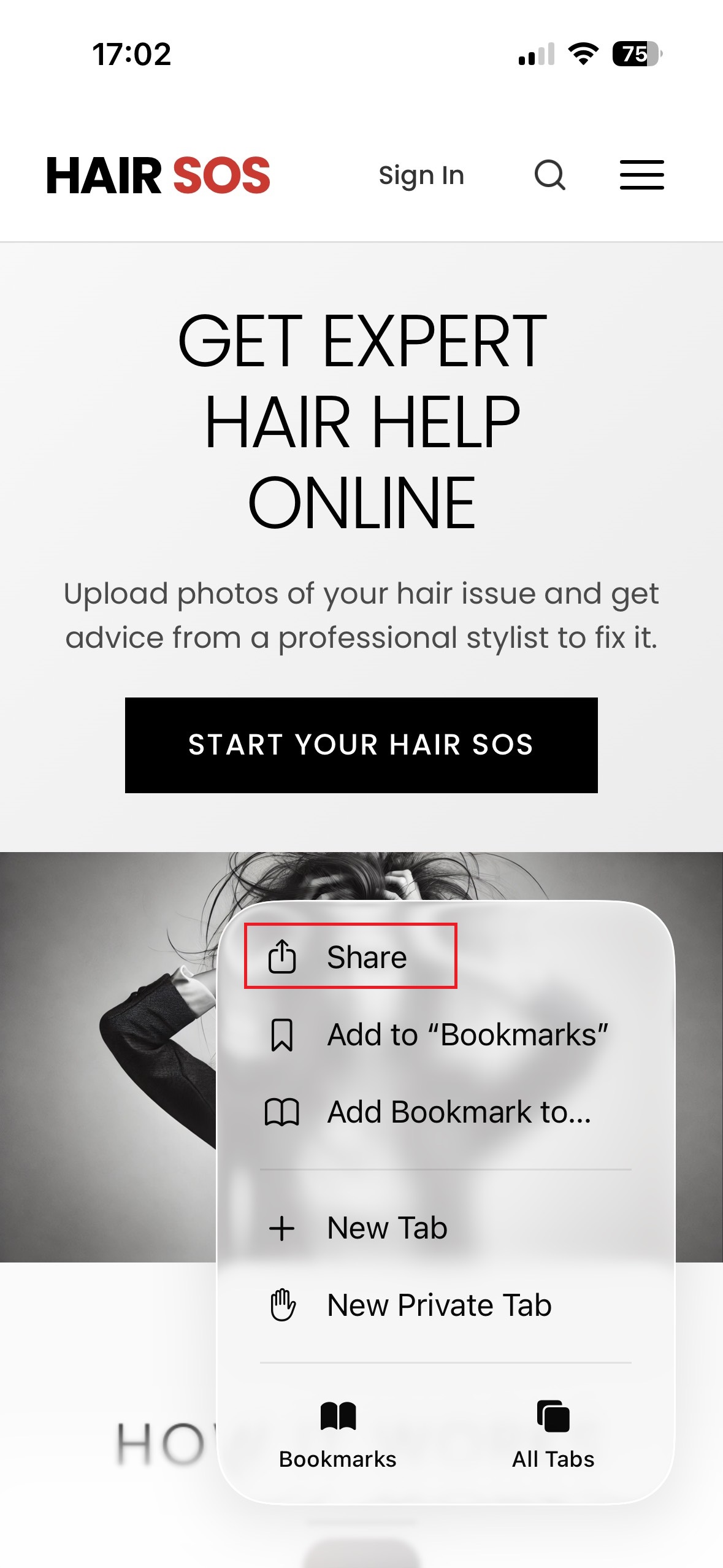
Look for the Share icon in the menu
3
Access More Options
Tap the three dots to see additional actions
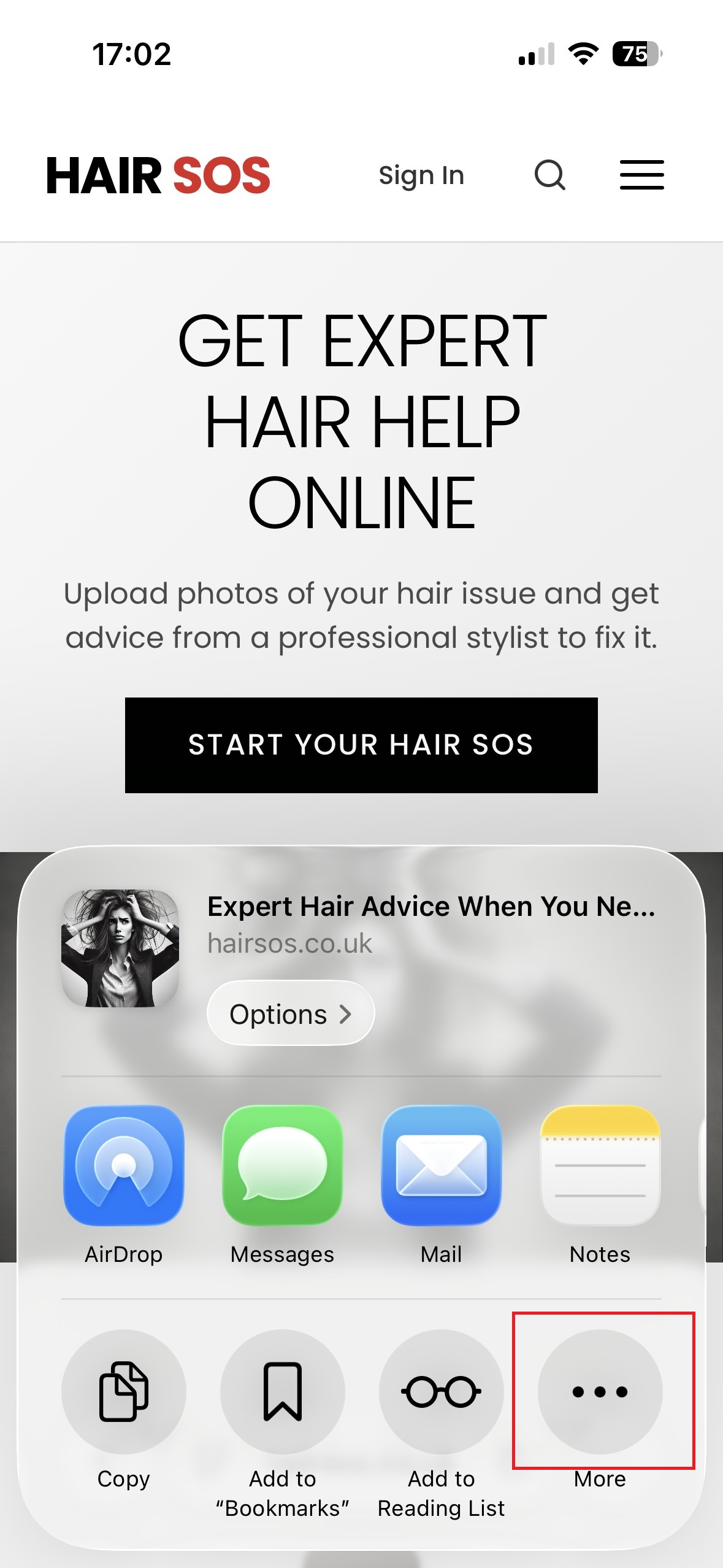
Tap "More" (three dots) in the share sheet
4
Add to Home Screen
Select the "Add to Home Screen" option
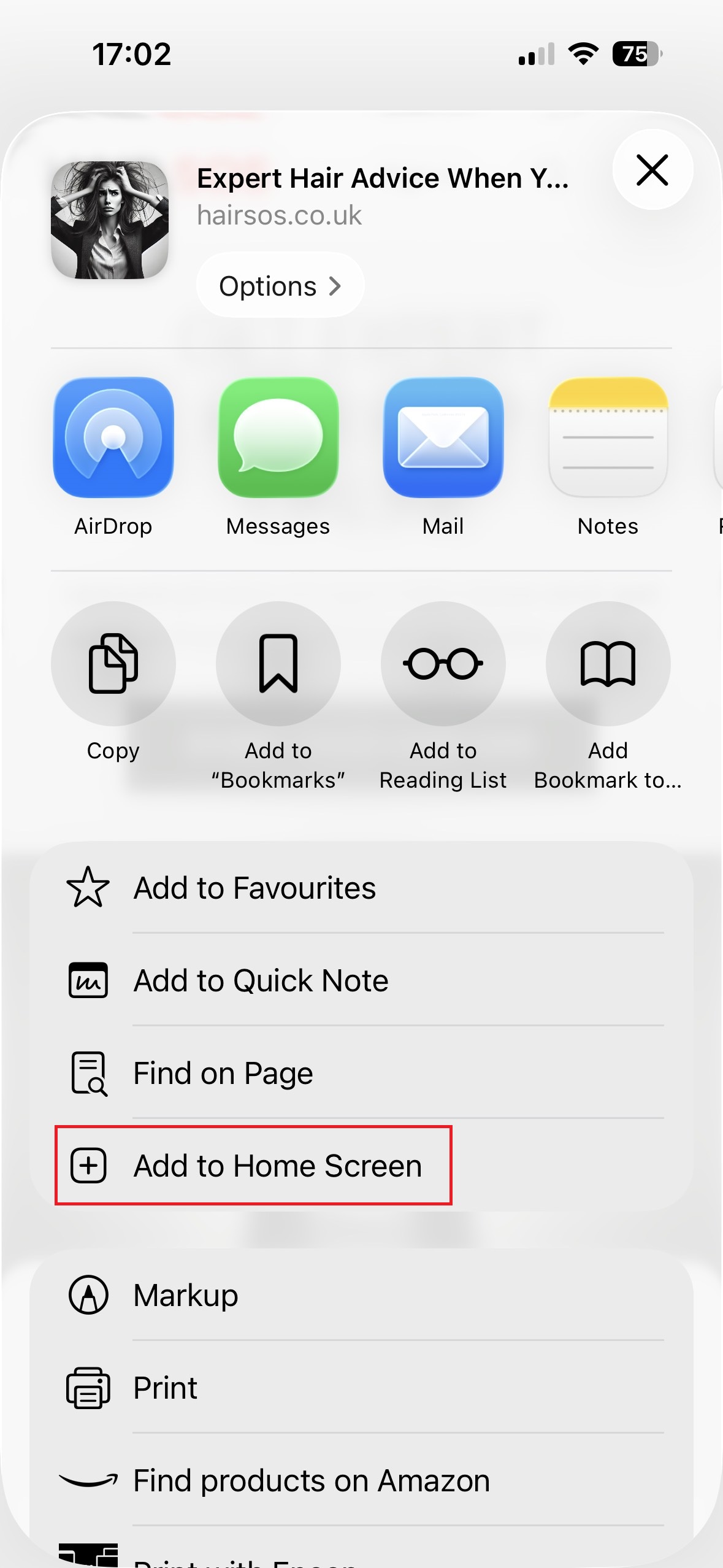
Tap "Add to Home Screen" from the list
5
Confirm Installation
Tap "Add" to complete the installation
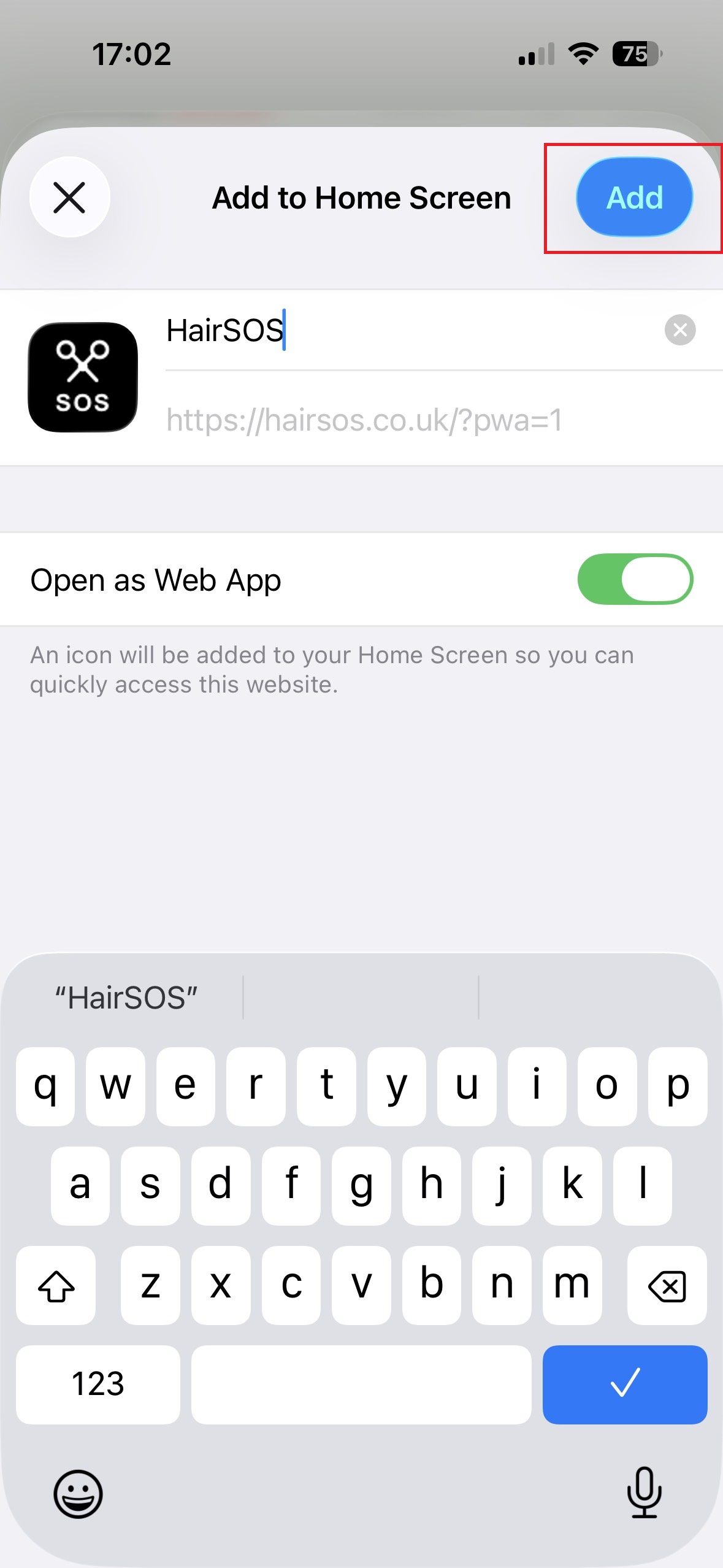
Tap "Add" in the top right corner
Why Install the App?
Instant Access
Launch Hair SOS directly from your home screen
Full Screen Experience
Enjoy a native app experience without browser clutter
Need Help?
If you're having trouble installing the app, please contact our support team. We're here to help!
